 PinspeedCreate account
Delivery troubleshooting · 8 min read
What to check when your Amazon listing shows slow delivery
Confirm the observation, then check the right fulfilment records.
If your Amazon.in listing shows slow delivery, first confirm that you are looking at your own offer for the intended location. Compare the promise under consistent conditions, then check the records for your fulfilment method: Self Ship, Easy Ship or FBA. A later delivery estimate is a reason to investigate; it does not identify the cause.
This guide is for sellers and agencies checking the promise shoppers see before purchase. If an order has already been placed and is late, start with that order’s tracking and support options. A listing check cannot explain what happened to an individual shipment.
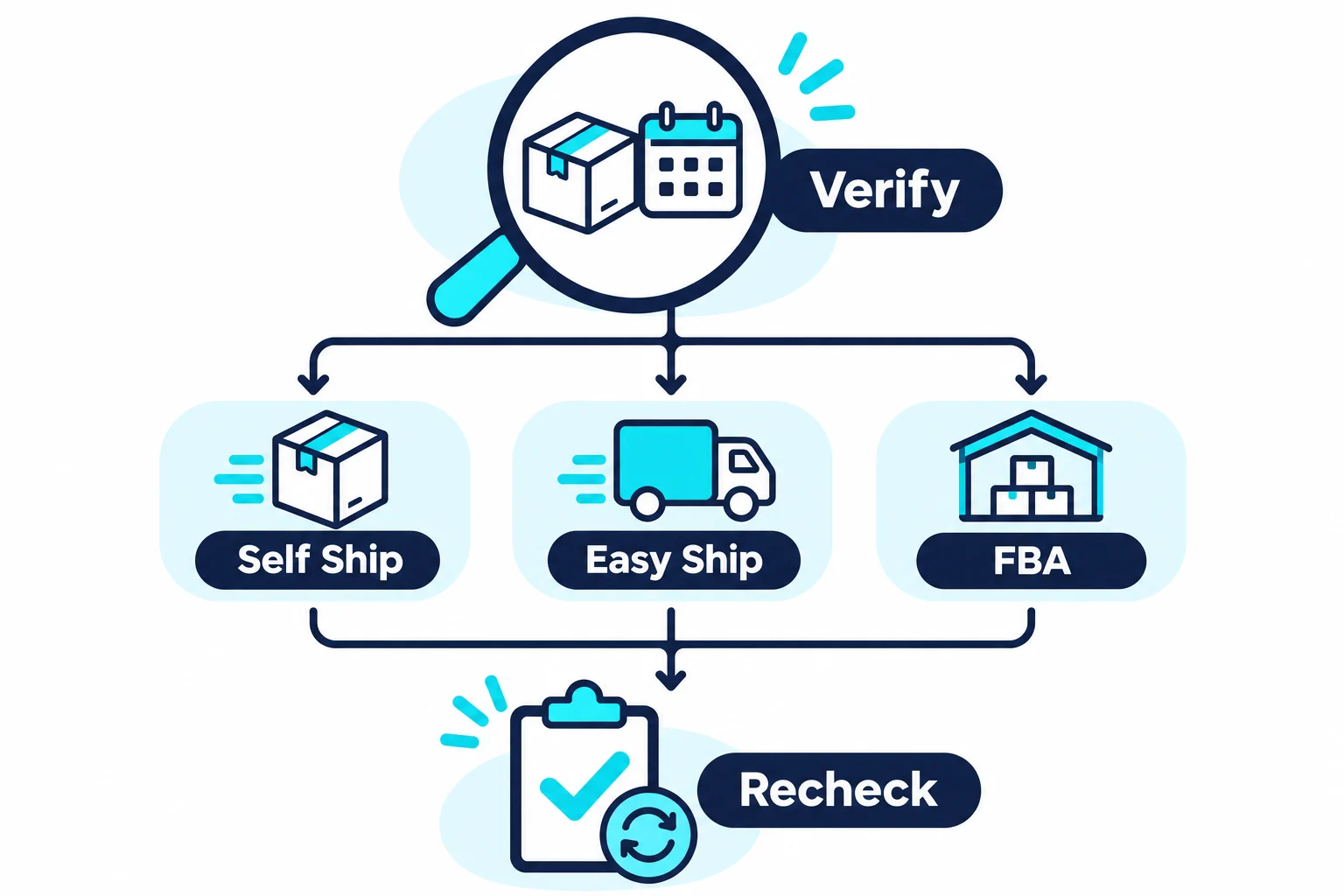
1. Confirm the offer and delivery location
A product page can show another seller’s offer. Before changing anything in your operations, check the seller name, exact ASIN, variant, pack and condition. Confirm the intended pincode on the page.
Record the observation time with its timezone, the promise exactly as displayed, and any “order within” cutoff. Keep the account’s signed-in or signed-out state and Prime context consistent, without recording account identifiers. Note the delivery option, fee and attached conditions; a paid faster option is not interchangeable with a standard free option.
- Readable promise: record the full date or range, including the year.
- Explicitly unavailable: record the displayed message. Do not turn it into a long delivery time.
- Failed or uncertain check: keep the attempt and recheck. A page that did not load is not evidence that delivery is unavailable.
Use the manual delivery-check guide for the recording method. Confirm your fulfilment method in records your team is authorised to access. Do not guess Easy Ship versus Self Ship from the shopper page.
2. Decide what “slow” means for this check
There is no single useful delivery-time threshold for every product and pincode. Choose your baseline before interpreting the result: your own earlier comparable observations, or a fairly matched competing offer. Keep the pincode sample stable so that a changed sample does not look like a changed promise.
Against your earlier observations
Compare promised lead-time ranges, not just calendar dates. Subtract the observation’s local calendar date from each end of the promised range. Preserve the raw dates, timezone, checking time and cutoff context alongside those offsets.
Fictional example: a check on 3 November 2026 shows delivery on 5 November. A comparable check on 4 November shows 6 November. Both are two calendar days from the check date. The later calendar date does not show a slowdown.
If the earlier promise was 1–2 calendar days and a comparable later check shows 4–5, the whole range is later. Ranges of 1–3 and 2–4 overlap; record that overlap rather than calling it a clear deterioration.
These offsets are an editorial recording convention, not an Amazon metric, elapsed hours or measured transit time. Keep checks at comparable local times and on the same side of a known cutoff. If the offer, option, membership context or cutoff basis changed, mark the comparison for recheck rather than attributing the difference to fulfilment.
Against a competing offer
Use the fair competitor-comparison guide to match the offers and conditions in the same checking round. A competitor’s earlier estimate does not tell you why yours is later.
For a practical investigation trigger, look for a clearly later, non-overlapping range in at least two comparable rounds on separate days within a review window you declare in advance, with no reversal in that window. Keep the baseline fixed and report the later count out of all comparable rounds, including ties and overlaps; retain failed or mismatched attempts separately. This is a triage convention, not statistical significance or Amazon policy. Investigate a known stock or pickup problem immediately; you do not need to wait for this rule.
3. For Self Ship, check what your team controls
With Self Ship, the seller stores, packs and delivers using their own delivery resources or a carrier. Amazon India’s fulfilment overview explains the responsibility split.
- Stock: check whether the exact listed item is physically available to pick and pack. Reconcile a verified discrepancy with your stock records.
- Preparation: compare actual packing and carrier-handover capacity with the handling commitments applicable to that offer.
- Shipping setup: review the applicable shipping settings against the service you can actually provide to the affected locations, using current guidance in your account.
- Carrier evidence: check service availability and your own dispatch/handover records for those locations. Keep actual shipment performance separate from the listing promise.
These checks can reveal an operational discrepancy; they do not prove that it caused the displayed estimate. Correct a verified problem and record what changed. Do not shorten commitments beyond your actual capacity simply to chase an earlier date.
4. For Easy Ship, check readiness and pickup evidence
Under Easy Ship, you store and pack the goods; Amazon picks them up and delivers them. Amazon’s India Easy Ship guide describes providing the pickup address, scheduling pickup and keeping the package ready.
- Stock and readiness: confirm that the item can be packed and ready for the pickup your team schedules.
- Pickup address: compare the pickup address recorded in your account with the location actually preparing the goods.
- Pickup history: inspect booked pickups and the evidence your team has of completed or missed handovers. Do not substitute a guess based on the storefront date.
If a discrepancy remains unresolved, raise it through the support options available in your seller account, with relevant pickup evidence. A missed pickup and a late listing promise are separate observations until an investigation connects them. Avoid applying settings or rules from another Amazon marketplace to India.
5. For FBA, check the offer and inventory records
With FBA, Amazon stores, packs and delivers the goods. Its India FBA overview describes same-day or next-day delivery for eligible customers; that is not a promise that every offer will show those dates in every pincode.
- Offer identity: reconfirm that the observed promise belongs to your intended seller offer and exact item.
- Inventory status: inspect the current inventory and receiving status available to your team in Seller Central. Sending stock inbound does not by itself establish that the item is available for sale.
- Unresolved difference: assemble the repeated observations and relevant account records for Seller Support to investigate.
The shopper page cannot establish which warehouse would fulfil an order or whether a stock transfer is responsible for its estimate. Do not move inventory, change fulfilment method or promise a delivery improvement on that evidence alone.
6. Give each investigation an owner and next check
Download the blank slow-delivery case log (CSV). Use one row per observation attempt, repeating the case ID to keep its history together. The file has no formulas or example customer data.
Format identifiers and pincodes as text. Use full dates such as 2026-11-03 and timestamps such as 2026-11-03T10:00:00+05:30. Enter earliest and latest calendar-day offsets only for readable promises; leave them blank for failed or unavailable checks.
- Keep the observation: offer, location, context, raw promise, dates, cutoff and status. Use “readable”, “unavailable” or “recheck” consistently.
- Reference the baseline: link to the relevant rows in your audit or competitor worksheet. Record the fixed baseline and review window there. Use a comparison result such as “later”, “overlap”, “tie”, “earlier” or “not comparable”.
- Separate evidence from explanation: state what you inspected and whether it revealed a verified issue or the cause remains unknown.
- Assign the next action: an owner role, the action to take, a recheck date and the eventual outcome. Preserve earlier rows when a later check succeeds.
A useful support packet: exact item and seller offer, affected pincodes, dated observations, raw promise wording, comparison basis, relevant account evidence and a clear question. For example: “These comparable checks show a later promise. We checked these records and have not established a cause. What should we investigate next?”
Keep customer names, street addresses, login details and verification tokens out of the log. Review screenshots before sharing them and use only records your team is authorised to access.
After a verified correction, repeat the check with the same sample and conditions. Record improvement, no change or an inconclusive result. A change in the displayed promise is not proof of a cause, actual delivery performance, a ranking change or sales uplift.